The Thailand Digital Arrival Card (TDAC) explained
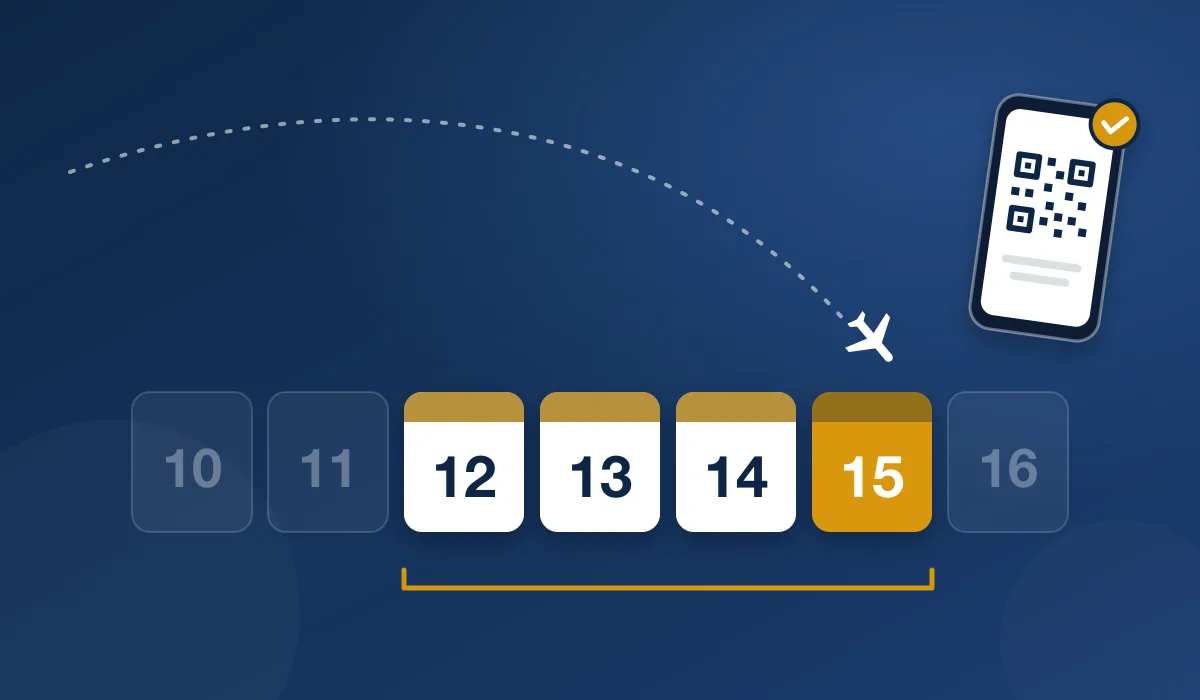
The Thailand Digital Arrival Card (TDAC) is an online form that non-Thai nationals submit before they enter Thailand by air, land or sea. It replaced the paper TM6 arrival card on 1 May 2025. You submit it on the arrival day or on one of the three days before it, and you receive a QR code to show when you arrive.
Verified: November 12, 2026
Want a person to check and submit your TDAC?
What the TDAC is
The TDAC is the online arrival card of Thailand's Immigration Bureau. It collects your passport, trip, accommodation and health details before you arrive, so that immigration has them in advance. Each TDAC is valid for one entry only, on the arrival date you entered.
- Run by
The Immigration Bureau of Thailand
- Official website
- Who submits it
Non-Thai nationals who enter Thailand by air, land or sea
- When
On the arrival day or on one of the three days before it
- Valid for
One entry, on the arrival date you entered
- Travellers per submission
Up to 10, each with their own TDAC
- What you receive
A TDAC document with a QR code, as a download and by email
Who needs a TDAC
All non-Thai nationals who enter Thailand need a TDAC. This includes tourists, business travellers, long-term residents, children and babies, and people who arrive by land or sea. Thai nationals do not need one. Transit passengers who do not pass through immigration, crew and travellers who enter with a Border Pass are also exempt.
Arriving by land or sea
The TDAC is the same at every border. All foreigners who enter Thailand by land, sea or air submit one. The form's "Flight No./Vehicle No." field takes a flight number or a vehicle number of up to 20 characters. Crew do not need a TDAC, and neither do passengers on a flight that only makes a technical landing or a transit stop in Thailand.
When to submit
Submit your TDAC on the arrival day or on one of the three days before it. For example, if you arrive on 5 May, you can submit from 2 May. You cannot submit it earlier, and the TDAC system sends no reminder when your window opens. You need a new TDAC for every entry.
When to submit your TDAC, with dates for your trip · Find your dates with the calculator
What the form asks for
The official TDAC FAQ lists the information you need:
- Your passport details
- Your flight number (or vehicle number) and arrival date
- Your address in Thailand
- The purpose of your trip
- Health declaration information
- An email address to receive the TDAC
Enter all details in English. You cannot save the form and finish it later, so have everything ready before you start.
How to fill in the TDAC, field by field · Printable TDAC checklist
What it costs
The Immigration Bureau does not charge a fee for the TDAC: submitting it on the official website is free. Some travel agencies and independent companies offer to submit it for you for a fee. That fee pays for the company's own service. It is not a government fee.
How to get a TDAC
You can submit the TDAC yourself, online or on arrival, or let someone submit it for you. Every route leads to the same arrival card.
| Route | Who fills in the form | Good to know |
|---|---|---|
| Official website, tdac.immigration.go.th | You | One traveller or a group of up to 10 |
| THIM app | You | The Immigration Bureau's mobile app; using it is optional |
| Kiosk on arrival | You | At 5 airports, for travellers without a phone or internet |
| Travel agency or independent service | The company, with your details and your permission | The company charges for its own service |
The kiosks are at Suvarnabhumi, Don Mueang, Phuket, Chiang Mai and Hat Yai airports. ThaiDigitalCard is one independent, paid service of this kind; it is not part of the Thai government.
How to recognise the official TDAC website · What the THIM app does
The steps on the official website
Start the form
Open tdac.immigration.go.th and choose "Arrival Card".
Enter your personal and passport details
Type them in, or scan the machine-readable zone of your passport to fill them in. Check the result.
Enter your trip, accommodation and health details
For a group, add each traveller with "Add Other Travelers". You can copy shared trip details from the previous traveller.
Check and submit
Use "Preview" to check every traveller. Enter your email address, accept the terms and submit.
Download your TDAC
Save the TDAC document with its QR code. A copy also goes to your email.
What you receive
After you submit, you can download a TDAC document with a QR code, and a copy goes to your email. Each traveller receives their own TDAC. You do not have to print it, because you can show it on your phone, but a printed copy helps if you will not have a device with you. If no QR code arrives by email, the official FAQ says to contact the immigration officer at the entry checkpoint.
Your TDAC QR code: where to find it and what to do if it is lost
At the airport
Go to immigration with your passport and your TDAC on your phone or on paper. The TDAC email also tells you whether you can use the automated border control (ABC) gates. If it says you are eligible, you can use the gates. If it says manual processing, go to a regular immigration counter.
Changing details after you submit
You can correct a submitted TDAC before you enter Thailand. On the official website, choose "Update Arrival Card" and find your card with its TDAC number, your date of birth and your nationality. The official FAQ says you can change any detail this way except your full name, passport number, nationality and date of birth.
| What needs to change | What to do |
|---|---|
| Flight, accommodation, email or another trip detail | Change it with "Update Arrival Card" |
| Full name, passport number, nationality or date of birth | Submit a new TDAC with the correct details |
If you submit more than once, only the most recent submission is valid. Make every change before you reach immigration.
If something goes wrong
- No smartphone or internet: kiosks and Wi-Fi are provided when you arrive. A kiosk sends the TDAC and its QR code to your email only, so take a photo of the QR code on the kiosk screen.
- No email address: the official FAQ recommends creating one, because the TDAC and its QR code are sent by email.
- An error after you press submit: if the message ends in "429", refresh the page and try again. If it says "0 Unknown Error", check your internet connection.
- The website does not work: keep a screenshot of the error message and contact airport or immigration staff.
Families and groups
Every traveller needs their own TDAC, including babies and children. One person can submit for the whole family: the official website takes up to 10 travellers in one submission and gives each person their own TDAC and QR code. A group of more than 10 submits more than once.
Charter and incentive groups need a TDAC for every traveller too. A tour leader or a travel agency can submit for the group, with the travellers' authorisation and correct details.
The TDAC and the old TM6 card
The TDAC replaced the paper TM6 arrival card on 1 May 2025. You now give your arrival details online before you arrive, not on a paper card. The TDAC also asks for health declaration information.
Accuracy and your data
Check every detail before you submit: the official FAQ says that travellers may be refused entry at the discretion of immigration if their information is wrong. With everything ready, the form takes about 3 to 5 minutes per person. Your data is protected under Thailand's Personal Data Protection Act (PDPA), can be seen only by immigration and border security authorities, and is not shared with other countries.
How the TDAC system has changed
The Immigration Bureau publishes a version log for the TDAC system. These are the changes that matter to travellers, newest first.
| Date | What changed |
|---|---|
| 15 October 2026 | The TDAC email shows whether you may use the automated passport control gates, and the result is also sent to the THIM app. |
| June 2026 | The Immigration Bureau's THIM app was introduced as another way to register. Using it is optional. |
| 29 September 2025 | The TDAC document shows your three-letter nationality code after your passport number. |
| 31 July 2025 | The address field accepts up to 215 characters. |
| 30 June 2025 | The visa number field accepts dashes, slashes and spaces. |
| 3 May 2025 | The flight or vehicle number field accepts up to 20 characters. |
| 1 May 2025 | The TDAC replaced the paper TM6 arrival card. |
| 18 April 2025 | Passport details can be filled in by scanning the passport's machine-readable zone ("Retrieve with Passport"). |
Checked against the official version log on 12 November 2026 (system version 2026.10.00).
The TDAC is not a visa
The TDAC is an arrival card, not a visa. The official manual says so directly. You need a TDAC whether you enter visa-free, with a visa on arrival or with any other visa. Check separately whether your passport needs a visa and how long you may stay.
Frequently Asked Questions
What is the Thailand Digital Arrival Card (TDAC)?
It is the online arrival card of Thailand's Immigration Bureau. Non-Thai nationals submit it before they enter Thailand by air, land or sea. It replaced the paper TM6 card on 1 May 2025.
How early can I submit the TDAC?
On the arrival day or on one of the three days before it. If you arrive on 5 May, you can submit from 2 May. You cannot submit it earlier.
Is the TDAC a visa?
No. It is an arrival card. You need it with every visa type, including visa-free entry and visa on arrival. Check your visa rules separately.
Do I need a new TDAC for every trip?
Yes. A TDAC is valid for one entry, on the arrival date you entered. You submit a new one each time you enter Thailand.
Can I submit a TDAC for my family?
Yes. One person can submit for up to 10 travellers at once. Each traveller, including each child, receives their own TDAC.
Can I change my TDAC after submitting it?
Yes, before you enter Thailand. Use "Update Arrival Card" on the official website. Your full name, passport number, nationality and date of birth cannot be changed there. If one of these is wrong, submit a new TDAC.
Sources checked
- Immigration Bureau: TDAC FAQ · November 12, 2026
- Immigration Bureau: TDAC user manual · November 12, 2026
- Tourism Authority of Thailand: TDAC launch on 1 May 2025 · October 28, 2026
- Tourism Authority of Thailand: THIM application · October 28, 2026
Want a person to check and submit your TDAC?
ThaiDigitalCard is an independent, paid service, not the Thai government. A person checks your details against your passport before we submit your TDAC. Standard costs $40 and covers the first traveller; each additional traveller costs less. If your window is not open yet, we submit your TDAC when it opens. You get a full refund at any time before we submit.